 ™
™Inventory
Find the right cars fast.
Ask for available vehicles by year, make, model, or trim, then compare price and mileage in the same conversation.
Ask: “Show our available Toyotas, lowest price first.”

2017 BMW X3 Sport
Available · 78,868 miles
Ask about the cars on your lot, new leads, upcoming test drives, and recent reports. AutoFire answers from the dealership data you already manage.
AutoFire dealership desk
MCP connected
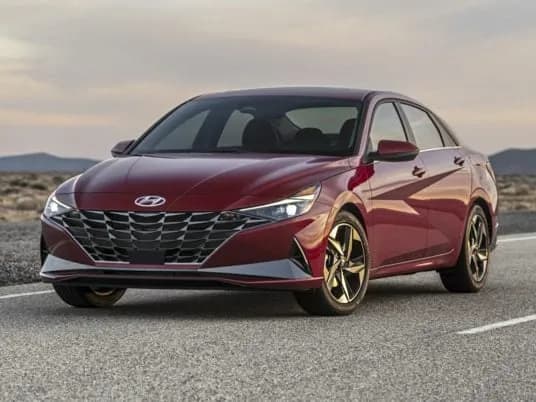
2021 Toyota Camry SE
$22,400 · 41,200 miles
FWD · Automatic · Gasoline
3
New leads
2
Test drives
7
Reports
Bring AutoFire into the AI client your team uses

Example request
Which available cars fit a $25,000 budget?
AutoFire found 4 matches.
From question to next move
Pull available vehicles, new leads, requested test drives, and recent reports into one conversation. The AI client helps your team prepare. Your team still makes the call.
Read the complete dealership MCP guideYour lot, ready to ask
AutoFire MCP turns the dealership work already inside AutoFire into a short list of approved actions your AI client can use.
Inventory
Ask for available vehicles by year, make, model, or trim, then compare price and mileage in the same conversation.
2017 BMW X3 Sport
Available · 78,868 miles
Lead desk
Review new, contacted, qualified, converted, or lost leads with the vehicle tied to each inquiry.
Test drives
Check requested, confirmed, completed, cancelled, or missed test drives with the requested date and vehicle.
Daily reports
Pull recent aggregate dealership reports and ask the client to group repeated issues or changes.
Dealer profile
Confirm the dealership name, location, website, time zone, description, and posted hours before preparing customer-facing work.
How the connection works
You ask
A plain-English dealership question
AutoFire checks
Dealership, permissions, expiration, and rate limits
AutoFire returns
Inventory, lead workflow, test drives, or reports
Access stays limited
Every credential belongs to one dealership. Team members choose the permissions, set a 30, 60, or 90 day expiration, and can revoke access at any time.
Read the security detailsThe client cannot ask AutoFire to switch to another store.
Inventory, leads, test drives, reports, and contact access are separate choices.
Published tools cannot edit a car, change a lead, send a message, or book an appointment.
The creator, an owner, or an admin can shut off the key from the AutoFire dashboard.
Choose your client
Claude, ChatGPT, Grok, and Codex connect with your AutoFire sign-in. Developers can use Claude Code or a scoped key.
Now in the Claude connector directory. Connect and sign in from Claude on the web, desktop, or mobile.
CLI, IDE extension, and desktop setup with a key stored outside the repository.
Remote HTTP setup with a separate dealership-scoped credential.
Current transport, authentication, protocol, and hosted-client support.
Model Context Protocol is a standard way for an AI client to call approved software tools. AutoFire MCP gives the client a defined set of dealership tools instead of open access to your database.
No. AutoFire’s published MCP tools are currently read-only. They can search and retrieve approved records, but they cannot edit inventory, change lead statuses, send messages, or schedule appointments.
No. Each key is permanently tied to the dealership selected when it is created. The AI client cannot supply a different dealership ID.
Lead lists exclude names, email addresses, phone numbers, notes, and messages. Retrieving one lead’s contact details requires a separate leads:pii permission chosen when the key is created or the app is connected.
You can choose 30, 60, or 90 days. A key cannot be extended, and it can be revoked from the dashboard at any time.
Yes. Claude, ChatGPT, Codex, and Grok connect by adding the server URL and signing in with your AutoFire account. AutoFire is also in the Claude connector directory. Claude Code and other clients have their own setup guides.
Start small
Create a 30-day inventory key, connect one client, and ask your first question.
More MCP features are rolling out soon. Tell us which dealership workflow you want next.