

A great website for an independent car dealer does more than just look good—it's your most tireless sales engine, working around the clock. Think of it less as an online brochure and more as an automated system that showcases every car on your lot, pulls in serious leads, and goes toe-to-toe with the big franchise stores. It’s your hardest-working salesperson, always on and ready to engage a potential buyer.
Your Website Is Your Hardest-Working Salesperson
Let's be real: competing with the giant franchise dealers is a grind, especially with a small team and a tight budget. They've got huge marketing departments and names everyone recognizes. But your website is the great equalizer. It gives you a direct line to local buyers at the exact moment they're searching for their next vehicle.

This guide is all about shifting your perspective—from seeing your site as a static digital business card to a dynamic sales tool. A powerful online presence built on smart design principles helps you attract, engage, and convert qualified buyers, even with a lean operation. It keeps working for you long after you’ve locked the gates for the night.
The Modern Car Buyer's Journey
The way people buy cars has completely changed. The journey almost always starts online. In fact, numerous marketing reports show that the vast majority of car buyers begin their search on the internet, which makes search visibility and mobile performance absolutely critical for independent dealers. For a small lot without a dedicated tech team, using a platform that handles site speed, security, and automatic SEO for vehicle detail pages can make a massive difference in how easily you're found. You can find more insights on optimizing for today's buyers over at ACVMax.com.
Your website isn't just another expense; it’s a core business asset. It’s the first impression, the main source of information, and your number one lead generation tool, all rolled into one. Investing in a great user experience pays off directly in showroom traffic and sales.
Core Pillars of a High-Performing Dealer Site
To build a site that actually moves metal, you need to nail three essential pillars. These fundamentals work together to create a smooth experience for your customers and a streamlined workflow for you and your team.
- Mobile-First Design: Let's face it, most of your customers will find you on their phones. Your site absolutely must be flawless on a small screen. That means easy-to-tap buttons, text you can read without pinching and zooming, and images that load quickly.
- Automated Inventory Syncing: Manually updating your website is a soul-crushing, time-sucking chore. A modern system should sync with your inventory management software automatically, ensuring every vehicle on your lot is accurately displayed online without you lifting a finger.
- Built-in SEO Strategies: Showing up on Google isn’t optional. Your website needs a solid SEO foundation, from properly optimized vehicle pages to the structured data that helps search engines understand and rank your inventory.
This guide gives you the roadmap to building a website that doesn't just look pretty, but one that actively drives real-world sales and puts your independent dealership on a level playing field.
The Foundational Features Your Dealership Site Needs
Forget the flashy animations and confusing layouts that do more to distract than sell. When you're running an independent dealership, your website needs to be a workhorse, not a show pony. Its only job is to build trust and get a potential buyer from their phone screen to your lot. That means focusing on a core set of features that directly impact how easily customers can find your cars and how confident they feel giving you a call.
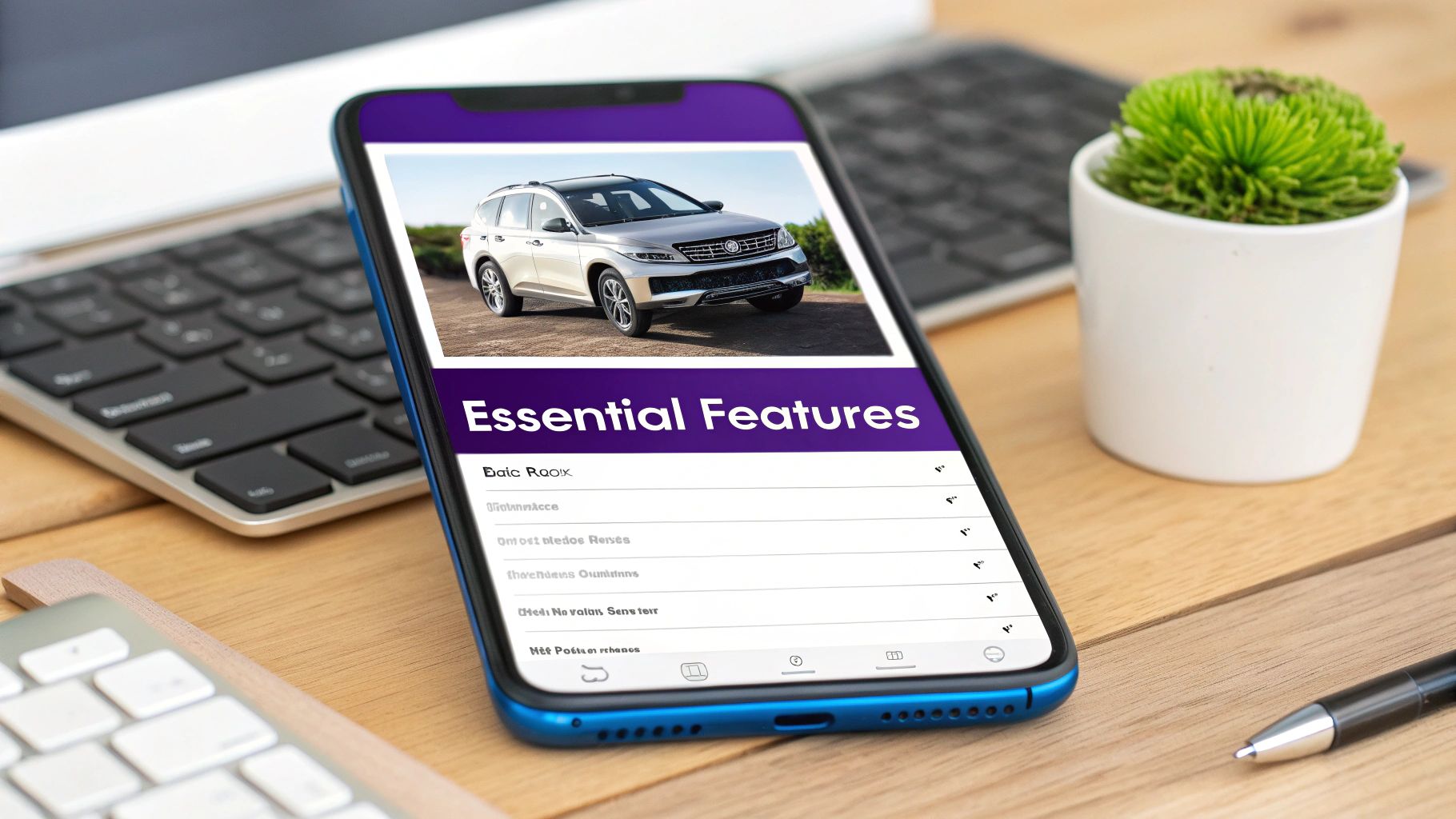
Let's cut through the noise and build a simple blueprint of the non-negotiables. Think of this as your personal checklist for any web design solution you look at. If a platform is missing any of these foundational pieces, it simply wasn't built for the realities of selling cars today.
Before we dive into the details, let's lay out the must-have features in a clear format. This table breaks down exactly what you need, why you need it, and how it directly helps you sell more cars.
Core Website Features For Independent Dealers
| Feature | Why It's Essential For Your Dealership | Impact On Sales |
|---|---|---|
| Mobile-First Design | The majority of car shoppers start on their phones. If your site is clunky on mobile, they're gone in seconds. | Prevents losing leads to competitors with a better mobile experience and makes it easy for shoppers to contact you on the go. |
| Automated Inventory Sync | Manually updating your website is a time-suck and leads to errors. Automation ensures your online inventory is always accurate. | Eliminates customer frustration from seeing sold cars online and frees up your time to focus on actual sales conversations. |
| High-Quality VDPs | Your Vehicle Detail Pages (VDPs) are your digital showroom. This is where a shopper decides if a car is worth a visit. | Great photos and clear information build trust, leading to more test drive requests and finance applications. |
| Built-in SEO Tools | If you don't show up on Google when someone searches "used trucks near me," you're invisible to most local buyers. | Drives free, high-intent organic traffic directly to your inventory, reducing your reliance on paid ads. |
Getting these four pillars right is the difference between a website that just sits there and one that actively generates leads and moves metal.
A Truly Mobile-First Responsive Design
This isn’t just about making your site look okay on a phone; it needs to be built for the phone from the ground up. The hard truth is that the vast majority of your traffic will come from mobile devices. If a potential buyer has to pinch, zoom, or struggle to tap a button, they will leave. You’ll never even know they were there.
A genuine mobile-first design means:
- Lightning-Fast Load Times: Mobile users are impatient. A slow site is a dead site.
- Thumb-Friendly Navigation: Buttons, links, and forms have to be big enough and spaced out enough for easy tapping.
- Click-to-Call Functionality: A single, obvious tap should connect a buyer directly to your sales desk.
A website that frustrates a mobile user is worse than having no website at all. It actively damages your reputation and sends potential sales to your competitors who offer a better, simpler experience.
Seamless and Automated Inventory Management
Your inventory is the heart of your business, and it must be the heart of your website. I’ve seen so many dealers try to manage this manually, and it’s always a recipe for errors and wasted time. The only real solution is automated inventory syncing.
This means your website platform has to integrate directly with your dealership management system (DMS) or inventory feed. When you add a new car to your system, it should pop up on your website automatically, complete with all its details. When a car sells, it should vanish from the site just as quickly. This kind of automation is a total game-changer for small teams, freeing you up to do what you do best: sell cars.
High-Impact Vehicle Detail Pages (VDPs)
The Vehicle Detail Page is your digital showroom. It’s where a casual browser becomes a serious buyer. A weak VDP will kill a lead on the spot, no matter how much traffic you get. An effective VDP has to be clean, informative, and persuasive.
Make sure every VDP has:
- Stunning, High-Resolution Photos: You need a full gallery of crisp, clear images showing every angle—interior, exterior, and even close-ups of key features or minor imperfections. This transparency builds massive trust.
- Clear, Obvious Calls-to-Action (CTAs): Don't make people hunt for what to do next. Big, bold buttons like "Schedule Test Drive," "Check Availability," and "Get Pre-Approved" should be impossible to miss.
- Essential Vehicle Information: The price, mileage, VIN, and stock number need to be right at the top. Hiding this information just makes you look sketchy.
Choosing the right platform is critical, and a purpose-built solution makes all the difference. For a deeper look, check out our guide on finding the best dealership website builder that includes these core features right out of the box.
A Solid Foundation for Search Engine Optimization (SEO)
Finally, none of this matters if buyers can't find you on Google. A strong automotive dealership web design has SEO baked into its DNA. This isn't some extra you bolt on later; it has to be part of the core structure from day one.
This foundational SEO includes:
- Optimized URL Structures: You want clean, readable URLs for each vehicle (e.g.,
yourdealership.com/inventory/2019-ford-f150-laramie). This helps both real people and search engines understand the page. - Structured Data (Schema Markup): This is special code that tells Google that your webpage is about a specific vehicle, including its VIN, make, model, and price. This is absolutely vital for appearing in special search results like Google Vehicle Listings.
- Automatic Sitemaps: Your website should automatically create and update a map of all your pages, making it dead simple for search engines to find and index your entire inventory as it changes.
These features all work together to make sure your website isn't just an online business card, but a powerful, automated sales tool that consistently brings qualified buyers to your door.
Turning Website Visitors Into Showroom Leads
Getting a steady stream of traffic to your website is a great start, but it doesn't pay the bills. The real test of a great dealership website is how well it turns those anonymous clicks into qualified leads—real people ready to talk about buying a car.
The whole point is to create an experience so smooth and intuitive that it naturally guides a casual browser toward taking that next step.
This isn’t about being pushy or using aggressive sales tactics. It's about smart design, placing the right calls-to-action (CTAs) in the right places, and building a foundation of trust that makes a potential customer feel comfortable reaching out. Let's get into the practical strategies that will transform your site from a simple online car lot into a powerful lead-generation machine.
Move Beyond the Generic Contact Form
For years, the standard "Contact Us" form was the main tool for capturing leads. While you should still have one, relying on it alone means you're leaving a massive opportunity on the table.
Today's buyers expect specific actions that move them closer to a purchase, not just a generic inquiry form. Think about what’s going through a customer's mind when they land on a Vehicle Detail Page (VDP). They aren't just browsing anymore; they're seriously evaluating a specific car. This is your moment to give them clear, high-intent options.
- Schedule a Test Drive: This is the ultimate goal. A customer willing to book a test drive is a serious buyer who wants to get behind the wheel. Make this button big, bold, and impossible to miss.
- Check Availability: This is a fantastic, low-friction CTA that still grabs a high-quality lead. It opens a direct conversation about a specific vehicle, giving your team the perfect entry point.
- Get Pre-Approved: For buyers thinking about their budget, this offers a clear path forward. It helps filter for serious prospects and saves everyone a ton of time later on.
By offering these specific actions, you’re aligning your website with the actual steps people take when buying a car, making it much easier for them to say "yes" to the next step.
Build Trust Before You Ever Meet
As an independent dealer, your greatest asset is your reputation. Unlike the big franchise stores, your business is built on personal relationships and community trust. Your website is the perfect place to start fostering that connection before a customer ever steps onto your lot.
A clean, professional design is the first step, but real trust is built through transparency and being genuine. Your site needs to feel like it’s run by real people who actually care about their customers.
A visitor on your site should feel confident and informed, not pressured or skeptical. Things like customer reviews, a real "About Us" page, and clear financing info all work together to lower a buyer's guard and make them more likely to hand over their contact details.
For instance, showcasing a few glowing Google reviews right on your homepage can instantly validate your business. An "About Us" page that tells the story of how you started—even if it's just a few paragraphs—adds a human touch that separates you from the faceless corporate competition. You can find more ideas for nurturing these prospects in our guide on how to generate leads for car sales, which dives deeper into strategies built on this foundation of trust.
Understanding Conversion Rate Benchmarks
So, what does "good" actually look like? It helps to know the numbers. Across the industry, website conversion rates can be all over the place.
Multiple analyses show that typical visitor-to-lead form conversions for many dealer sites hover between 0.5% and 1.5%. A well-optimized site should realistically be at the higher end of that range. More recent benchmarks put the average for the broader automotive sector between 2% and 3%.
For an independent used-car dealer, this means a solid mobile-first site should expect to start with a sub-2% sitewide conversion rate. But with the right tools and focus, you can definitely push that number much higher.
The Anatomy of a High-Converting VDP
Your Vehicle Detail Page (VDP) is where the magic happens. It's the single most important page for turning a looker into a lead. Every single element on this page should be designed to guide the user toward taking action.
Let's break down what makes a VDP work:
- High-Quality Photo Gallery: Don't skimp here. Lead with a carousel of at least 20-30 crystal-clear photos. Show everything: all exterior angles, detailed interior shots, the engine bay, and even close-ups of any minor blemishes to build trust.
- Above-the-Fold Essentials: The price, mileage, VIN, and stock number must be instantly visible without scrolling. Place your main CTAs, like "Schedule Test Drive," right next to this key info.
- Sticky Call-to-Action Bar: This is a must-have for mobile. As a user scrolls down the page, a "sticky" bar should stay locked at the bottom of their screen with buttons like "Call Us" and "Check Availability." A CTA is always just a thumb-tap away.
- Transparent Financing Tools: Embed a simple, secure credit application or a payment calculator right on the page. This keeps interested buyers on your site instead of sending them off to their bank's website.
- Social Proof and Trust Signals: Tuck in a short customer review or display any awards and certifications your dealership has earned. This constantly reinforces that you're a trustworthy seller.
By focusing on these practical conversion strategies, you can turn your website from a passive online brochure into an active, lead-generating powerhouse that fuels your sales pipeline 24/7.
How To Attract High-Quality Buyers, Not Just Clicks
It’s easy to get fixated on the total number of leads your website pulls in. But what good is a flood of inquiries if they just waste your sales team's time? The real goal of a smart automotive dealership web design isn't just to get more clicks—it's to connect with people who are actually ready to buy a car.
This means you have to shift your thinking from lead quantity to lead quality.
Not all leads are created equal. There's a world of difference between someone who fills out a generic "Get a Quote" form and someone who asks, "Is that specific 2019 F-150 still on your lot?" The first person is browsing; the second is shopping. Your website’s design and its calls-to-action (CTAs) are your best tools for finding those serious, high-intent buyers.
Align Your CTAs with the Buyer's Journey
Think of your website's buttons as signposts. A generic "Contact Us" button is a dead end. What you need are specific, action-oriented CTAs that make sense for where a customer is in their decision-making process. Someone just starting their search might be interested in a payment calculator. But a buyer who has found the car wants to schedule a test drive, and you need to make that easy.
The psychology here is fascinating. Research from the industry shows that specific, high-intent actions produce much better leads.
For example, "Test Drive" CTAs might get fewer clicks overall, but they closed at a 70% higher rate than generic quote or payment inquiries. In the same vein, "Check Availability" buttons generated three times fewer bad leads and had a 45% better closing ratio. You can see the full breakdown in this analysis of automotive CTA performance.
The takeaway is clear: A website that helps buyers take the next logical step in their process will consistently deliver more valuable leads to your sales team. Focus on CTAs that signal a real purchase intent.
Why Phone Calls Are Gold
In a world of web forms and chatbots, it’s easy to forget about the power of a simple phone call. For a car dealer, a ringing phone is often the sound of a serious buyer. Callers are almost always further down the funnel and are looking for a direct conversation.
This is especially true for the majority of your website visitors, who are on their phones. If a customer finds a car they love on their smartphone, they want answers now. Forcing them to pinch and zoom to fill out a tiny form is a surefire way to lose them. A big, obvious "Click-to-Call" button is the perfect solution.
Phone leads have some serious advantages:
- Higher Conversion Speed: Buyers who call often close much faster than web leads.
- Higher Intent: It takes more effort to pick up the phone than to fill out a form. That simple act naturally filters for more motivated buyers.
- Direct Engagement: A call lets your team build instant rapport, answer questions on the spot, and set a firm appointment—all in one conversation.
Your website design absolutely must make calling you effortless. Your phone number should be right there in the header and footer, and every Vehicle Detail Page needs an unmissable click-to-call button, particularly on the mobile view.
Designing for Quality Over Quantity
So, how do you put this all together? It’s about being strategic with every single element on your site, especially on your Vehicle Detail Pages (VDPs). The goal is to make it incredibly easy for serious buyers to take the next step while giving casual browsers the information they need.
First, create a clear hierarchy for your CTAs. On every VDP, your main, most prominent button should be "Schedule Test Drive" or "Check Availability." These are your money-makers. Relegate lower-intent CTAs like "Get ePrice" to a secondary, less obvious position. This subtle design choice nudges people toward the actions that actually lead to a sale.
You should also use your content to build trust and answer questions before they're even asked. A detailed vehicle description that points out key features, paired with a transparent CARFAX report link, can pre-qualify buyers before they ever contact you. This doesn't just improve your lead quality; it also strengthens your dealership's SEO for automotive by providing the kind of rich, valuable content that Google loves.
When you focus on attracting the right people from the start, your entire sales process becomes more efficient and a lot more profitable.
Your Go-Live Checklist For A Flawless Launch
The moment you flip the switch on your new website is both exciting and nerve-wracking. A successful launch isn't about luck—it's about a methodical, final quality check that ensures everything works perfectly from day one. Think of this as your pre-flight inspection before your new digital salesperson starts its first shift.
This practical checklist is broken down into logical areas to help you sidestep common launch-day headaches. By running through these final tests, you can make sure your new site starts producing results immediately, creating a seamless experience for your first visitors and a smooth workflow for your team.
Inventory and VDP Accuracy Check
Your inventory is the lifeblood of your dealership's website. If a customer sees a price online that doesn't match what's on the sticker, you've immediately broken their trust. So, the very first thing to verify is that what people see online perfectly matches what’s on your lot.
Start by spot-checking several Vehicle Detail Pages (VDPs). Does the listed price, mileage, and VIN match your records? Are all the photos for the correct vehicle, and are they loading quickly without looking blurry or stretched? This is also a great time to test your automated inventory sync. Add a fake vehicle to your management system and confirm it appears on the website within a reasonable time, then remove it and watch it disappear.
Make sure all these key details are present and correct:
- Clear Pricing and Mileage: Is this information displayed prominently, easy to find without scrolling?
- Complete Photo Gallery: Does each car have a full set of high-quality images showing it from every angle, inside and out?
- Accurate Vehicle Features: Are the options and packages listed correctly? A reliable VIN decoder is a huge help here.
Critical Lead Form and CTA Testing
A beautiful website that doesn't capture leads is just a digital billboard. Every single form and call-to-action (CTA) button on your site must be tested thoroughly. You have to be certain that every inquiry gets delivered to the right person without fail. A lost lead is a lost sale.
Go through the site as if you were a real customer. Fill out every form—the "Schedule Test Drive," "Check Availability," and your general contact form. Did the submission go through smoothly? More importantly, did you receive the email notification instantly at the correct dealership address?
Test every single link and button. A broken link isn't just a technical glitch; it's a dead end for a customer. A non-functioning "Call Us" button on a mobile device could be the difference between a sale and a lost opportunity.
This is all about guiding a user toward simple, high-intent actions that show they're serious about buying.
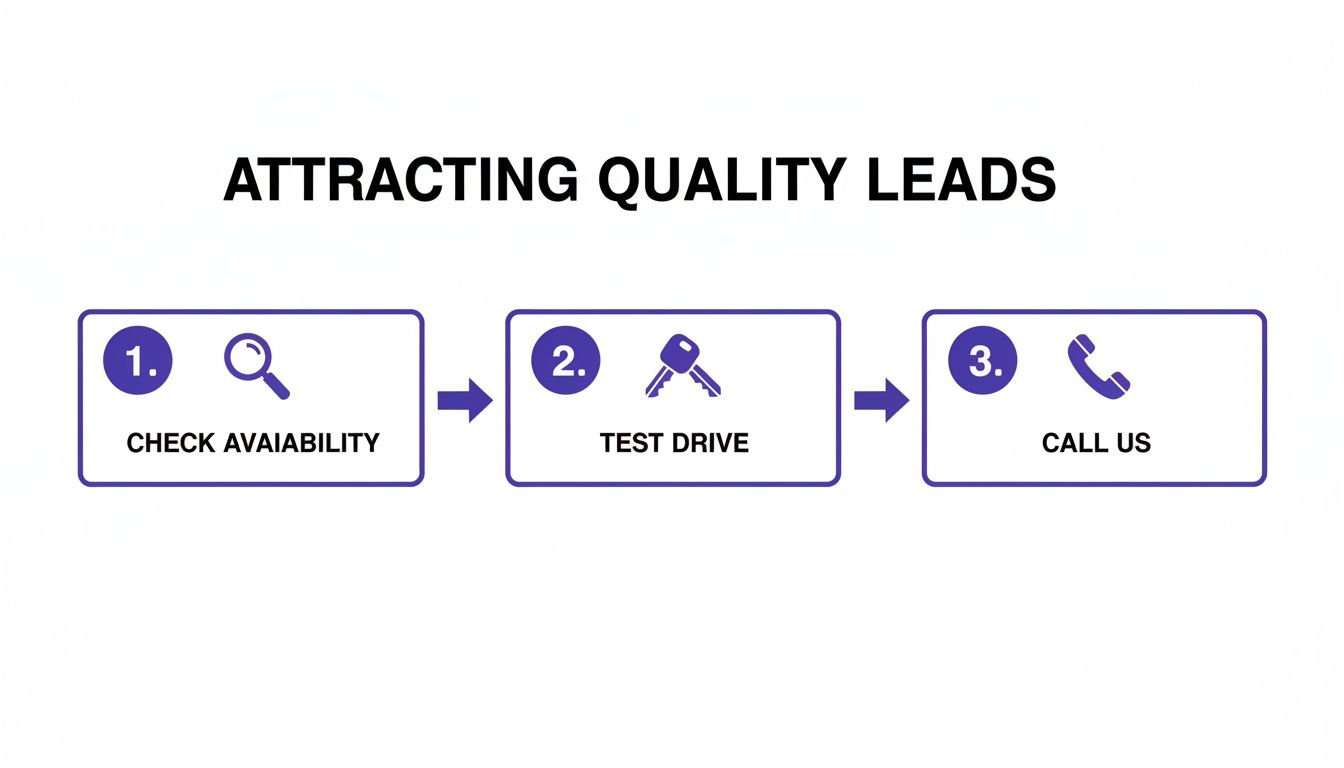
When the path is this clear, you make it easy for motivated buyers to get in touch.
Flawless Mobile Experience Audit
With well over half of all car shoppers using their smartphones, your site’s mobile performance isn't optional—it's everything. What looks great on your desktop monitor can be a frustrating mess on a smaller screen. You have to audit the entire user experience on both an iPhone and an Android device.
Navigate your site on a phone. Can you easily read the text without pinching and zooming? Are the buttons large enough for a thumb to tap accurately? Pay special attention to the mobile menu and the search filters for your inventory. A clunky, slow, or broken mobile experience will send potential buyers straight to your competitors.
Check for these mobile-specific essentials:
- Tap-to-Call Functionality: Ensure every phone number on the site, especially in the header and on VDPs, actually starts a call when you tap it.
- Form Usability: Can you fill out lead forms without the phone's keyboard covering up the fields you need to see?
- Image Loading Speed: Do vehicle photos load quickly on a cellular connection, not just when you're on Wi-Fi?
Google Integrations and Analytics Setup
Finally, make sure you're ready to track your success from the very first visitor. Your website needs to be properly connected to essential Google services that give you invaluable data on how it's performing.
First, confirm that your Google Analytics tracking code is installed and actively recording traffic. The easiest way to check this is to visit the site from your phone and watch yourself appear in the "Realtime" report in Analytics. This confirms data is flowing.
Next, ensure your website is submitted to Google Search Console. This tool is vital for monitoring your site's health, indexing status, and performance in search results. It’s also where you’ll be alerted to any crawling errors or mobile usability issues that Google finds.
Pre-Launch Website Quality Assurance Checklist
Before you announce your new site to the world, use this final checklist to run through a comprehensive quality assurance (QA) review. This process helps you catch small mistakes before they become big problems for your customers.
| Checklist Item | Verification Step | Status (Not Started / In Progress / Complete) |
|---|---|---|
| Cross-Browser Compatibility | Load the website on Chrome, Firefox, Safari, and Edge to check for display issues. | |
| Mobile & Tablet Responsiveness | Test on multiple devices (iPhone, Android, iPad) to ensure layout and functionality are correct. | |
| Inventory Data Sync | Add and then remove a test vehicle in your DMS to confirm it appears and disappears on the site. | |
| VDP Information Accuracy | Spot-check 5-10 VDPs for correct price, mileage, VIN, and features. | |
| Lead Form Submission | Fill out and submit every form on the site. Confirm notifications are received at the correct email. | |
| Click-to-Call Functionality | Tap every phone number on a mobile device to ensure it initiates a call. | |
| Internal & External Links | Click all navigation links, buttons, and external links (e.g., social media) to find any broken ones. | |
| Image & Video Loading | Browse the homepage, VDPs, and other key pages to ensure all media loads correctly. | |
| Google Analytics Tracking | Visit the site and check the "Realtime" report in Google Analytics to confirm your visit is tracked. | |
| Google Search Console Setup | Confirm the site's sitemap has been submitted and there are no critical errors reported. | |
| Page Load Speed Test | Run the homepage and a VDP through Google's PageSpeed Insights to check performance. | |
| Favicon and Logo Display | Ensure the dealership's favicon appears in the browser tab and the logo is clear on all pages. |
Completing this checklist gives you the confidence that your website is truly ready for business. A smooth, error-free launch sets the right first impression and ensures you're ready to capture leads from day one.
Your Top Dealership Website Questions, Answered
Even with a solid plan, building a new website always brings up questions. As an independent dealer, you need straight answers to make smart choices for your business. This is where we tackle the most common questions we hear from dealers just like you.
Think of this as a quick-fire round to clear up any confusion and get you ready to move forward with confidence.
"How Long Is This Going to Take?"
This is always the first question, and the honest answer is: it depends entirely on the route you choose.
If you go the traditional route with a design agency building a fully custom site, you're looking at a three to six-month project, easy. That timeline includes all the back-and-forth on design, development, content writing, and testing. It's a major commitment of both time and money.
But there's a much faster way. Modern website platforms built specifically for dealers can get you up and running in a matter of hours, sometimes even minutes. Because the heavy lifting—the design, features, and inventory logic—is already done, all you have to do is sign up, plug in your dealership's info, and link up your inventory feed.
"How Do I Keep My Online Inventory Up to Date?"
Manually adding and removing cars from your website is a recipe for disaster. It's tedious, prone to human error, and a massive time-sink. The only way to go is with automated inventory syncing.
It sounds technical, but the concept is simple. Your website connects directly to your Dealership Management System (DMS) or another inventory source.
Here’s how it works day-to-day:
- You add a new car to your DMS, just like you always do.
- Your DMS automatically pushes all the vehicle data—photos, VIN, price, specs—straight to your website.
- A new, fully detailed Vehicle Detail Page (VDP) for that car instantly appears online.
- When you sell the car and mark it as sold in your DMS, it automatically disappears from the site.
This hands-off system ensures your online inventory is always accurate. You never have to worry about a customer calling about a car you sold last week.
For a small dealership, time is your most valuable asset. Any website that forces you to manually add, edit, or remove sold vehicles is stealing that time and costing you money.
"What Kind of Ongoing Maintenance Is Required?"
Again, this comes down to the platform you choose. If you have a custom site built on something like WordPress, you (or someone you pay) are on the hook for a whole list of technical chores.
You'll constantly be dealing with things like:
- Software Updates: Keeping the core system, themes, and plugins updated to prevent security holes.
- Security Monitoring: Keeping an eye out for hackers trying to break in.
- Performance Tuning: Messing with caching and server settings to keep the site from slowing down.
- Daily Backups: Making sure you have a recent copy of your site in case it crashes.
The alternative is a SaaS (Software-as-a-Service) platform built for auto dealers. With this model, the provider takes care of everything behind the scenes. Security, speed, backups, and updates are all part of the package. You get to focus on selling cars, not on being a part-time IT manager.
Ready to launch a professional, SEO-optimized website that automates your inventory and captures high-quality leads without the technical headaches? AutoFire delivers a clean, mobile-first site designed for independent dealers, getting you online in minutes. Start your free plan today at goautofire.com and see how simple a powerful dealership website can be.