

Your website isn't just a digital brochure; it's your #1 salesperson. It works 24/7, never calls in sick, and has the potential to be your most powerful tool for capturing leads and moving metal. A great website isn’t an expense—it’s a revenue-generating machine.
Why Your Website Is Your Most Important Salesperson
Think of your website as your virtual showroom. For most customers, it’s the first handshake and the initial test drive. The days of people starting their car search by wandering onto your physical lot are long gone. Today, the journey begins online.
This shift puts enormous pressure on your website. A clunky, slow, or confusing site doesn't just make a bad first impression; it actively sends potential buyers straight to your competition. On the flip side, a well-designed website guides shoppers seamlessly from browsing your inventory to scheduling a test drive, directly fueling your sales pipeline.
The Financial Impact of Smart Design
Let's talk numbers, because this is where it gets real. A significant majority of vehicle buyers start their search online, and many will visit a dealership's website before they ever step foot on the lot.
Despite this, the average dealer site only converts a small percentage of its visitors into actual leads. That’s a huge missed opportunity.
Imagine your site gets 5,000 visitors a month. At a 2% conversion rate, you're getting 100 leads. Now, what if you improved your site design to achieve a 4% conversion rate? You’ve just doubled your leads to 200 without spending a single extra dollar on advertising. This simple improvement could add up to an extra $720,000 in annual profit. We've seen it happen, and you can learn more about how to avoid common website mistakes that cost dealers money.
The chart below shows just how powerful small improvements can be, turning a few more clicks into significant profit.
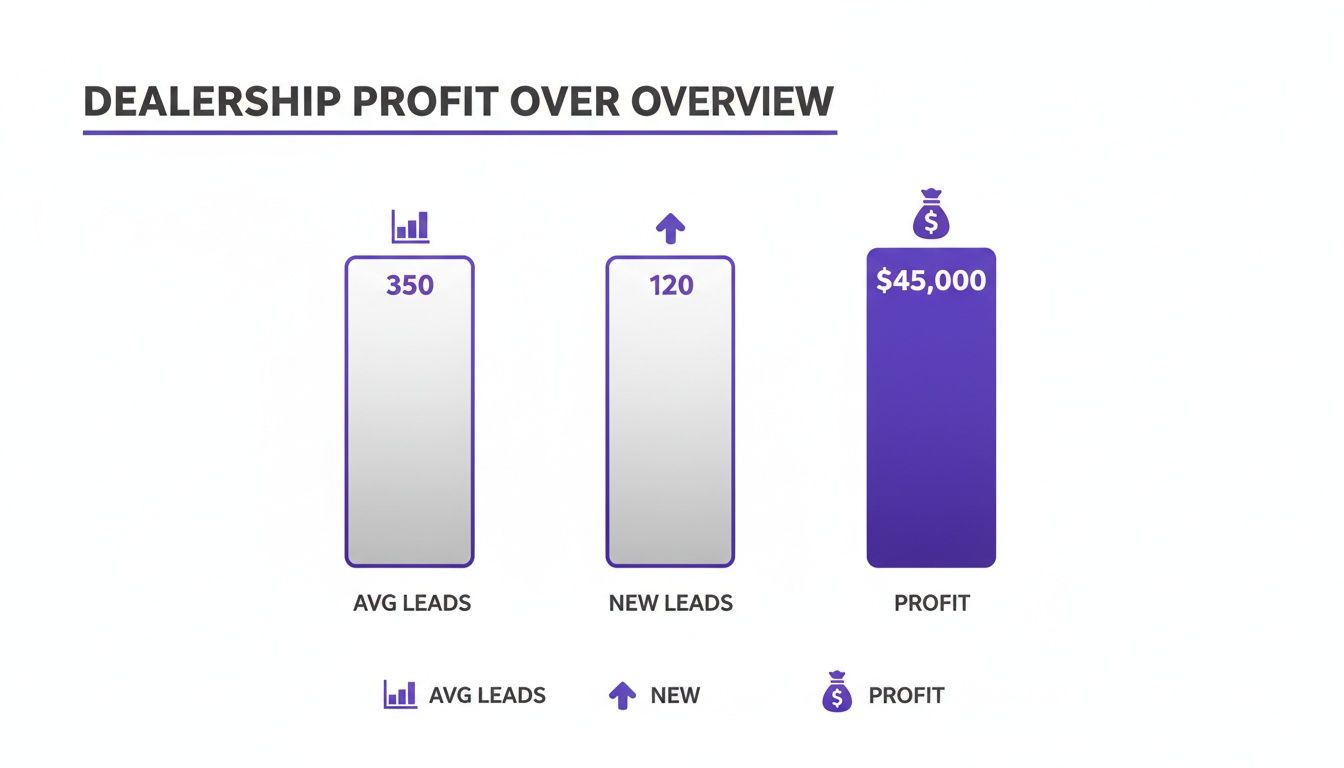
As you can see, turning more of your existing web traffic into real leads has a direct and massive impact on your bottom line.
To put it in perspective, here's a quick breakdown of how a better conversion rate directly impacts your profit, based on 5,000 monthly visitors.
How Conversion Rate Impacts Your Monthly Profit
| Metric | Average Site (2% Conversion) | Improved Site (4% Conversion) | Annual Profit Increase |
|---|---|---|---|
| Monthly Visitors | 5,000 | 5,000 | N/A |
| Monthly Leads | 100 | 200 | +100 Leads/Month |
| Leads to Sales (25% close rate) | 25 | 50 | +25 Sales/Month |
| Profit Per Vehicle | $2,400 | $2,400 | N/A |
| Monthly Gross Profit | $60,000 | $120,000 | +$60,000/Month |
| Annual Gross Profit | $720,000 | $1,440,000 | +$720,000 |
This isn't just theoretical math; it's the real-world financial upside of investing in a website that truly works for you.
A dealership's website is the digital front door. If it’s difficult to open or uninviting, customers will simply drive to the next one down the digital highway. Strategic design is about making that door as welcoming and efficient as possible.
In this guide, we'll walk through the essential elements of a high-performing dealership website. We’ll connect smart design choices directly to your profitability, covering everything from user experience to the technology that powers a modern digital showroom.
Designing Your Digital Showroom Experience
Think of your website as your 24/7 digital showroom. Just like you’d never let your physical lot get messy or confusing, your website needs to be just as welcoming and easy to navigate. A clunky, frustrating website design is the digital equivalent of a cluttered car lot with no salespeople in sight—it sends potential buyers running to your competition before they even see your best cars.
Your homepage is your dealership’s first impression. It needs to have fantastic "curb appeal" that immediately tells visitors who you are and what you’ve got. This means placing big, obvious calls-to-action (CTAs) front and center. Buttons like “Shop Our Inventory” or “Get My Trade-In Value” act like friendly signposts, guiding shoppers exactly where they need to go next.
Building a Simple, User-Friendly Navigation Menu
The foundation of a great website is a navigation menu that makes sense. If a customer can't figure out how to find your cars in a few seconds, they're gone. Period. The goal is to organize your menu around the way real people shop for cars, not based on some complicated internal structure.
A solid, no-nonsense navigation menu should look something like this:
- Used Inventory: The star of the show. This should be the most prominent link.
- Shop By Body Style: A simple dropdown with categories like "SUVs," "Trucks," and "Sedans" helps people quickly narrow their options.
- Financing: A clear path to your pre-approval form and payment calculator.
- About Us: A chance to build trust by telling your story and showing off your team.
- Contact: Obvious and easy to find, with your address, hours, and phone number.
This kind of logical layout keeps visitors from getting overwhelmed and helps them find what they want with zero friction. While a custom design can be great, looking at professionally built used car dealer website templates is often a fantastic starting point for creating an intuitive flow.
Give Shoppers the Power with Advanced Search Filters
The single most important tool on your entire website is your inventory search. Today's buyers don't just browse aimlessly; they show up knowing exactly what they’re looking for. Your website absolutely must give them the power to filter your inventory down to their perfect match. A simple search bar just won't cut it anymore.
A great website search doesn't just find cars—it helps customers discover the right car. By offering detailed filters, you turn a passive visitor into an engaged shopper who is actively building their own perfect deal.
Just look at the big players like CarGurus. They've nailed this user-first search experience. Notice how they present multiple, easy-to-use filters for make, model, price, and other key details right up front.
This works because it puts the shopper in the driver's seat, letting them slice and dice hundreds of listings into a handful of top contenders. That’s the level of control your website design should provide.
Your must-have search filters include:
- Make and Model
- Price Range (a slider works best)
- Year Range
- Mileage (another great spot for a slider)
- Body Style
- Engine Type
- Transmission
When you give shoppers a robust search system, you’re giving them the tools to sell themselves on a car. This builds massive confidence and makes them far more likely to take that next step and send you a lead.
Winning the Mobile-First Car Shopping Battle
Let's be blunt: the days of someone sitting down at a desktop computer to start their car search are long gone. The real action happens on a smartphone. It’s where your customers are scrolling during their lunch break, comparing prices on the go, and even standing on a competitor's lot checking your inventory. This isn't just a trend; it's the new standard.
Your website’s mobile experience isn't just a "nice-to-have" feature anymore. It's the primary battlefield where you win or lose a sale. A slow, clunky mobile site is the digital equivalent of a locked front door—it sends motivated buyers straight to the dealership down the street.
Why Google Cares So Much About Your Mobile Site
Google has completely changed how it sees your website, now using what it calls mobile-first indexing. Here’s what that actually means: Google primarily looks at the mobile version of your site to understand what you're about and decide where you deserve to rank. It's essentially pretending to be a customer on a smartphone.
So, a frustrating mobile experience doesn't just annoy potential buyers—it actively harms your search rankings. If your site is a pain to use on a phone, Google will notice and will likely show your competitors' websites above yours. You become invisible to local shoppers.
The data backs this up. The majority of automotive shoppers are now using their phones to look for their next vehicle. Dealerships that get this right see immediate results: customers stick around longer, and more of them turn into leads. It's all about meeting them where they are. You can read more about what's coming next by checking out the latest web design trends for 2025 on canadaprogramming.net.
Your Checklist for a Winning Mobile Experience
Simply having a "responsive" site that shrinks to fit a phone screen isn't enough. A truly great mobile experience is built from the ground up for someone holding a phone, not someone using a mouse and keyboard.
A great mobile website isn't just a shrunken-down desktop site. It’s a completely reimagined experience designed for a thumb, not a mouse, and for a user who needs information instantly.
Focus on getting these four things right, and you'll be miles ahead of the competition:
- Lightning-Fast Load Times: Mobile users have zero patience. Every single second matters. Your site needs to load in under 2 seconds, period. Any slower, and you're losing people before they even see your first car.
- Thumb-Friendly Navigation: Think about how you use your phone. All your buttons and links need to be big enough to tap easily with a thumb. Cramped menus and tiny text links just lead to frustration and people giving up.
- Simplified Forms: Nobody is going to fill out a long, complicated form on their phone. Keep your contact and financing forms dead simple. Only ask for what you absolutely need to start the conversation.
- One-Tap Actions: Make it ridiculously easy for people to get in touch. Your phone number should be a click-to-call button. Your address should be a one-tap link that opens directly in Google Maps or Apple Maps.
When you nail these elements, you remove all the friction. Your website stops being a passive online brochure and becomes a powerful tool that captures leads from customers wherever they are.
Optimizing Inventory Pages for Search and Sales
Think of your website's homepage as the big sign out front, but your inventory pages? That's your digital showroom—it's where the real action happens. The Search Results Page (SRP) and the Vehicle Detail Page (VDP) are the two places where a casual browser decides to become a serious buyer. If you nail these two pages, you'll see your leads multiply.
Your SRP is literally your online car lot. It’s the first impression a shopper gets of your entire selection. A messy, hard-to-navigate SRP feels like a disorganized lot with cars parked everywhere—it’s confusing, and people will just leave. The goal is to make it dead simple for someone to find a car they love.
This means your SRP absolutely must have easy-to-use filters and sorting options. Shoppers expect to be able to narrow things down by make, model, year, price, mileage, and even body style. When you give them those tools, you empower them to shop their way, keeping them on your site instead of sending them back to a Google search.
Crafting the Perfect Vehicle Detail Page
Once a shopper spots a car they like on the SRP and clicks, they land on the Vehicle Detail Page (VDP). This is your digital one-on-one sales pitch. The VDP has one job: build enough trust and excitement to get that customer to take the next step.
Your VDP is the final exam for your auto dealership website design. It must answer every question a buyer has, build confidence in the vehicle, and make it incredibly easy to say, "Yes, I'm interested."
A great VDP isn't just a list of specs; it's a complete presentation. It’s a carefully crafted mix of great visuals, solid data, and obvious calls-to-action designed to sell that one specific vehicle.
Here’s a look at what separates a basic VDP from one that actually generates leads.
Anatomy of a High-Converting Vehicle Detail Page
| Feature | Standard VDP | High-Converting VDP |
|---|---|---|
| Photos | 10-15 blurry or poorly lit photos. | 20-30+ high-resolution photos of every angle, inside and out. |
| Interactive View | Static photo gallery only. | 360° interior/exterior spin to let shoppers explore the car. |
| Vehicle Specs | Basic make, model, year, mileage. | Full specs automatically pulled by a VIN decoder, including packages and options. |
| Pricing | Price listed, maybe a single "Call for Price." | Transparent pricing, plus an integrated payment calculator. |
| Calls-to-Action | One generic "Contact Us" button. | Multiple, specific CTAs like "Schedule Test Drive" and "Get Pre-Approved." |
| Trust Signals | None. | CARFAX report integration, warranty info, and customer reviews. |
As you can see, the difference is in the details. A high-converting VDP anticipates a buyer's questions and provides the answers upfront, building the confidence they need to reach out.
Driving Action with Strategic CTAs and SEO
A beautiful VDP is totally useless if it doesn't tell people what to do next. You need to strategically place multiple calls-to-action (CTAs) that speak to shoppers at different stages of their journey. Don't just slap a single "Contact Us" button at the bottom and call it a day.
Instead, give them specific, low-pressure options that feel like a natural next step:
- "Check Availability"
- "Schedule a Test Drive"
- "Get Pre-Approved"
- "Make an Offer"
Beyond just converting the user in front of you, every VDP is a golden opportunity for SEO. Google and other search engines see each vehicle page as a unique doorway into your dealership's website. If you optimize them correctly, you'll start pulling in organic traffic from people in your area searching for the exact car you have on your lot.
To make this happen, your auto dealership website design needs to generate unique, keyword-focused titles for every vehicle (e.g., "Used 2021 Ford F-150 Lariat for Sale in Springfield"). Writing a short, unique description for each car—instead of using the same generic blurb—also makes a huge difference. Finally, implementing vehicle schema markup is a non-negotiable. This structured data tells search engines exactly what the page is about, making your cars eligible for special treatment in search results.
For a much deeper look into this side of things, you can learn more about SEO for automotive dealerships in our detailed guide.
Turning Website Visitors Into Qualified Leads
Let's be honest: a beautiful website that doesn't bring in leads is just an expensive digital brochure. It's like having a showroom packed with pristine cars but keeping the doors locked. The real goal of your auto dealership website design isn't just to look sharp—it's to turn anonymous clicks into real, high-intent leads that your sales team can actually close.
This means we need to think less about just pretty pictures and more about smart, conversion-focused design.
The psychology behind capturing a great lead is surprisingly simple: make it easy and make them trust you. Every button, form, and piece of text on your site should guide a shopper toward taking that next step. If a potential buyer has to hunt for your phone number or wrestle with a confusing form, they won't. They’ll just click away to a competitor.
Make Contact Effortless
Today's car shoppers expect to connect on their own terms, not yours. If your only option is a clunky "Contact Us" form, you're leaving a ton of leads on the table. A great website meets customers where they are by offering multiple, convenient ways to get in touch.
Your site should be loaded with contact options:
- Click-to-Call Buttons: This is non-negotiable for mobile users. Anyone on a phone should be able to tap your number and call you instantly. Put it on every single page.
- Live Chat: Perfect for the person who has a quick question but isn't quite ready for a full-blown sales call. A simple, friendly chat box can snag leads that would otherwise vanish.
- SMS/Text Messaging: More and more buyers, especially younger ones, would much rather send a text than make a call. Give them that option.
- Simple Contact Forms: Keep your forms short and sweet. All you really need to start a conversation is a name, email, and maybe a phone number. Don't scare them off with a dozen required fields.
Build Trust and Credibility Instantly
Nobody is going to hand over their personal information if they don't trust you. Your website design has to build that credibility from the very first second a visitor lands on your page. The best way to do that? Show them that real people have had great experiences with you.
Sprinkle glowing customer testimonials and five-star reviews all over your site—on the homepage, on vehicle detail pages, and even on a dedicated reviews page. This is what we call social proof, and it’s a powerful signal that you're a reputable dealer they can count on. For a deeper dive, check out our guide on how to generate more leads for car sales, which gets into more trust-building tactics.
A lead capture strategy isn't about tricking visitors into filling out a form. It’s about offering real value and making it so easy and compelling to connect that they want to take the next step.
Use Value-Driven Tools to Capture High-Intent Leads
The most powerful lead-capture tools are the ones that give the shopper something genuinely useful in return. Instead of just begging for their info, offer them a real solution to their problem. Interactive tools are brilliant for this because they engage the user and, in the process, capture data from someone who is clearly serious about buying.
Think about tools like online trade-in value calculators or pre-qualification financing forms. They're a classic win-win. Shoppers get the instant answers they crave, and you get a hot lead from someone deep in the buying cycle.
Industry trends show that a majority of car buyers use online tools during their research, with many using price calculators specifically. These features aren't just nice-to-haves anymore; customers expect them. By building these valuable, interactive elements into your site, you transform it from a static online flyer into an active, 24/7 lead-generation machine.
The Tech Running Your Dealership Website
Behind every great dealership website is some smart technology working behind the scenes. Think of it like the engine, transmission, and computer system in a modern car. Customers don't see it, but it’s what makes the whole thing go. For your dealership, this tech stack is what turns your website from a simple online brochure into a lean, mean, sales-generating machine.
Don't let the word "tech stack" intimidate you. Even a small independent lot can use the same kind of tools the big franchise stores do. The right systems work together to create a smooth process, from the moment you acquire a vehicle to the second a customer clicks "I'm Interested."
Keeping Your Online Lot Fresh and Accurate
The absolute cornerstone of your website's tech is a solid Inventory Management System (IMS). This is the central hub for every car you have for sale. When you add a new vehicle to your IMS, it automatically sends all the photos, specs, pricing, and details straight to your website. No more double data entry.
This automatic sync is a lifesaver. It guarantees your website is 100% up-to-date, which means you'll never have that awkward phone call where a customer asks about a car you sold three days ago.
Working hand-in-hand with your IMS is a VIN decoder. You just plug in the VIN, and it instantly pulls in all the important details—engine size, transmission, trim level, factory-installed options, you name it. This saves an incredible amount of time and ensures the information you’re showing shoppers is spot-on.
Tracking Leads and Seeing What Works
Once your inventory is online and grabbing attention, you need a way to manage all that interest. That’s where a Customer Relationship Management (CRM) tool comes in. It’s mission control for every single lead your website generates.
A CRM is so much more than a digital address book. It’s a smart dashboard for your entire sales pipeline, making sure no potential buyer ever gets forgotten. It shows you the journey from their first click to the moment they drive off the lot.
With a good CRM, you can see which cars are getting the most action and help your team follow up with people quickly and effectively. It’s the essential link between a curious online shopper and a happy customer.
Finally, how do you know if any of this is actually working? Analytics. A tool like Google Analytics 4 (GA4) is absolutely non-negotiable. It’s like the dashboard on your car, giving you all the vital stats on your website's performance. GA4 can tell you:
- Which of your pages are most popular
- How long people are spending looking at your vehicles
- Where your website visitors are coming from (e.g., Google, Facebook, etc.)
- Which buttons and forms are actually getting clicked
This information isn't just "nice to have"—it's gold. It shows you what’s working with your auto dealership website design and what needs a tune-up. By plugging these key pieces together—your IMS, VIN decoder, CRM, and analytics—you build a powerful, automated system that saves you time, builds trust with buyers, and ultimately, helps you sell more cars.
Your Top Questions About Dealer Website Design, Answered
Jumping into auto dealership website design can feel like a lot, especially when your real job is selling cars. Let's cut through the noise and get straight to the answers you're looking for.
How Much Should a Dealership Website Cost?
This is the big one, and the honest answer is: it varies. You could spend a few hundred bucks on a generic template or tens of thousands on a completely custom build. For most independent dealers, though, the smartest path lies right in the middle with a subscription-based platform built for our industry.
These services wrap up all the must-haves—like inventory management, VIN decoders, and lead forms—into one predictable monthly fee. This model saves you from a huge upfront cost and handles all the technical updates, so your site never gets stale.
What's the Single Most Important Page on My Website?
Your homepage is your digital storefront, but your Vehicle Detail Pages (VDPs) are where the real action is. A customer might skip your homepage entirely, landing on a VDP straight from Google. That means every single VDP has to work as a complete, standalone sales pitch for that specific vehicle.
A winning VDP is a blend of crisp, high-quality photos, detailed specs, clear pricing, and several obvious ways for a shopper to get in touch. This is the page that turns a casual browser into a hot lead.
Think of it this way: Your homepage gets them into the showroom, but the VDP is the one-on-one conversation that closes the deal. Every detail on that page matters.
How Often Do I Really Need to Redesign My Website?
There's no hard-and-fast rule, but a good benchmark is to plan a major refresh every two to three years. Online trends and technology change fast. What looked sharp and modern back in 2021 can feel clunky and outdated today.
That said, you shouldn't just set it and forget it. The best approach is to make small, steady improvements based on what your analytics and customers are telling you. Constant evolution is always better than a massive, disruptive overhaul every few years.
Custom Design vs. a Template: What's the Real Difference?
Choosing between a template and a custom design really boils down to your budget, how fast you need to get online, and your specific goals. Let’s break them down.
-
Template-Based Websites: Think of these as pre-built layouts designed specifically for car dealers. They're way more affordable and can get you up and running in a matter of days. The trade-off? You have fewer options for unique branding. For most independent dealers, a great template is the perfect mix of professional and practical.
-
Custom-Designed Websites: A custom site is built from the ground up, just for your dealership. You get total control over the design, features, and user experience. This is a solid choice for larger dealers with a very specific brand vision, but it comes with a much higher price tag and a longer timeline.
For most independent lots, a modern, well-built template gives you all the firepower you need to compete without the cost and headache of a full custom project.
Ready to launch a professional, high-converting website without the hassle? AutoFire delivers clean, mobile-first sites with built-in SEO and lead capture tools designed specifically for independent dealers. Get your inventory online and start generating leads in minutes. Check out our plans and start your free trial today at https://goautofire.com.